-
Free Visio Software For Mac
Jul 3, 2021
- Microsoft Visio For Mac
- Visio Software For Mac Free Download
- Microsoft Visio For Mac Os
- Visio For Mac
- Ms Visio For Mac Free
As you may know Microsoft Visio and Project applications are available on Windows Platform so far. Hence, to install them on your Mac is to install Windows system in a workaround to achieve it. Generally, there are two main methods to install Windows system on your Mac. One is to deploy Windows system in a Virtual Machine on your Mac.
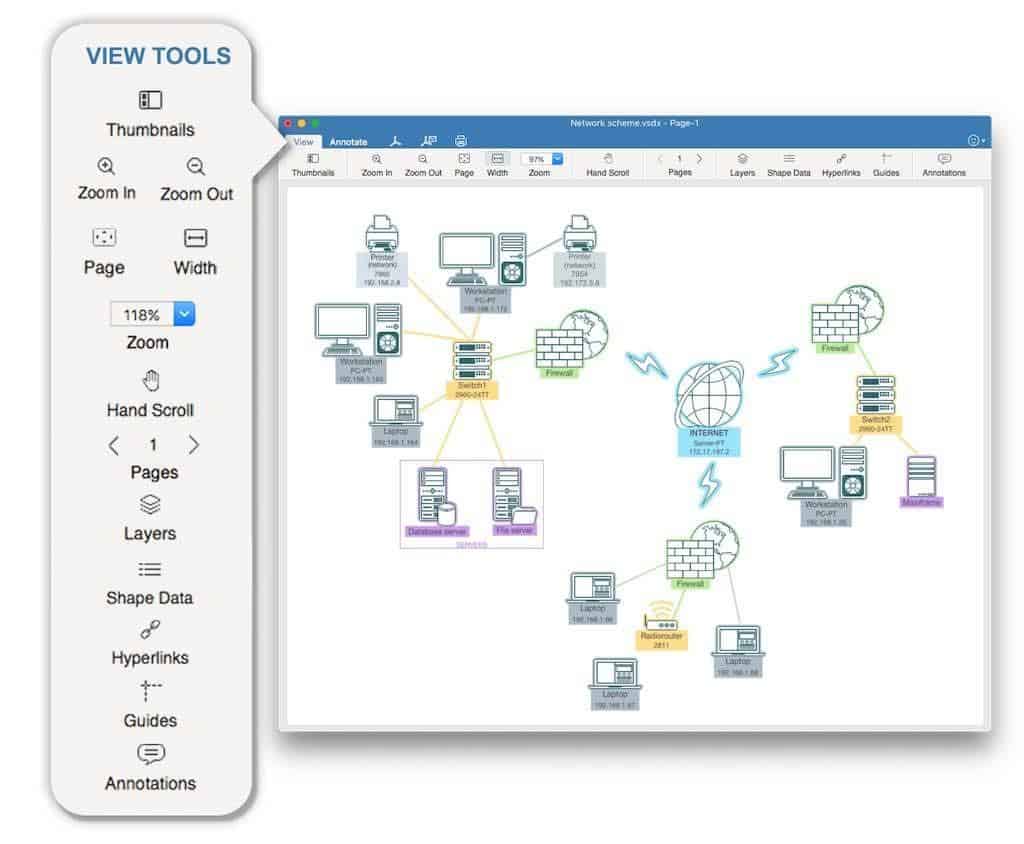
As a component of LibreOffice, which is a free, cross-compatible software stack, Draw is compatible with Mac as well as Windows and Linux. Dia is yet another free Visio alternative software for Windows, Linux, and Mac. It is an open source diagramming software that offers all standard tools to create various types of diagrams. In it, you can draw flowcharts, generate UML diagrams, create entity relationship diagrams, design several network diagrams, and create electrical and chemistry diagrams. In the case of Visio, Microsoft has released a Visio Viewer for iOS, as shown in Figure 1. Use a competing application. Search for “Visio for Mac” on Google, and many of the results will be for third-party applications for Mac that open Visio drawings and provide much of the same functionality. Run the real Windows application on your Mac.
Microsoft Office Visio is designed with numerous flow charts, drawing tools, templates and maps. It offers multiple formatting methods and ways to edit diagrams for a professional look. With Microsoft Visio, users can collect, draw and use dynamic data. It is made in a way that lets multiple users simultaneously work on a single document. In addition, the app lets users save their work in a cloud system like SharePoint or OneDrive.
Features
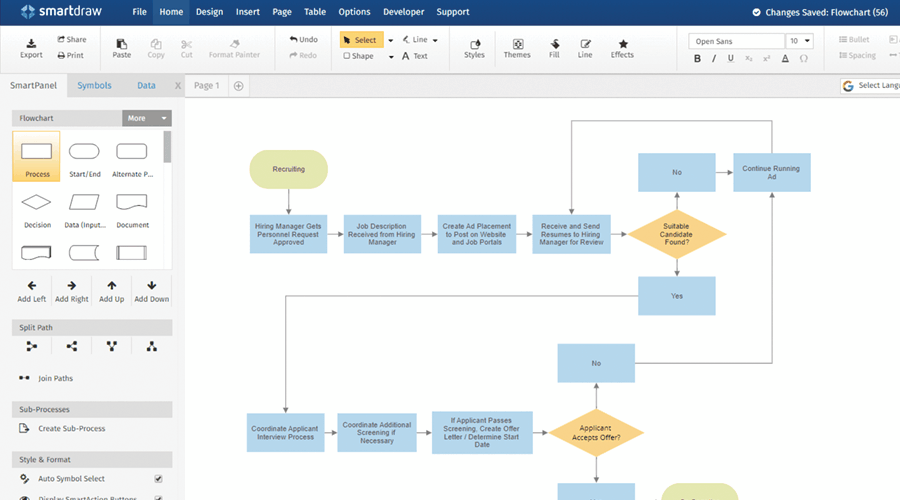
With Microsoft Visio, users get a software tool that lets them diagram networks and systems. It is simple to use. Users just have to grab the image that they want on the left hand side. Afterward, they just have to drag the image to where they want it and release. The drawing function is easy to use, and line can be redrawn around the new images. Plus, the software has an exceptional number of images and symbols available. While vendors do make a number of symbols available for free, some of them cost money to use.
The main thing that Visio is used for is diagrams. It does this better than almost any other app on the marketplace. Whether you are making a simple or complicated diagram, Visio offers the stencils, shapes and objects that you need. You can also make your own shapes or import new ones. The entire goal of the program is to make diagramming as easy as possible.
When you start the program, you are given dozens of different templates to work with. Each template comes with the objects and menu that make sense for it. If Visio does not offer the template that you want, there is an online download page that has other options available. The program can also be used to make 3D map diagrams, although there are limited tools built-in for this purpose.
Pros
- Simple to use
Microsoft Visio For Mac
- Easy to navigate interface
Visio Software For Mac Free Download
- Re-drawing is easy using the anchors
- Multiple tools available
- Plenty of symbols available
Microsoft Visio For Mac Os
- Models are grouped by type
Cons
Visio For Mac
- Not technically a part of Microsoft Office
- The installation process is extremely long
Ms Visio For Mac Free
- Vendors may charge for the symbols
- Not high-tech enough to truly be a CAD program



Comments
- (no comments)